

OpenText Exstream — delivery, migration, operations

Customer Communications Management

We design, migrate and run high-volume customer communications — on OpenText Exstream and the legacy platforms it replaces, correct at volume on every channel.

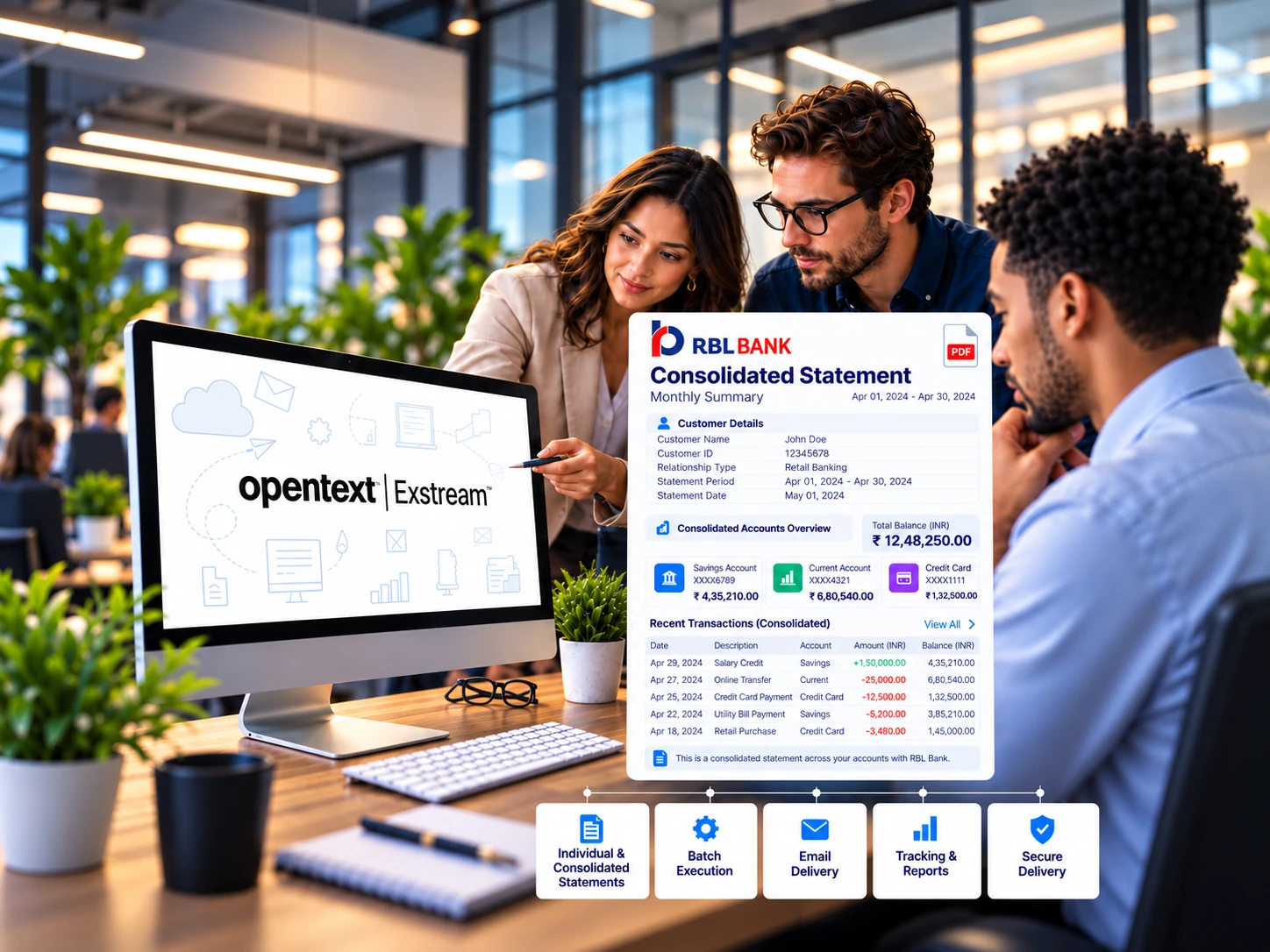
Customer support illustration for customer communications management

Customer communications management

What we deliver

AdventSys designs, builds and runs the platforms that produce high-volume statements, letters, notices and transactional messages — document design, personalization, business rules, approval and multichannel delivery in one controlled system that stays consistent as products, regulations and channels change.

That covers CCM design, implementation, modernization and production support, with specialist depth in OpenText Exstream for banking and insurance.

The pipeline

The pipeline we work across

A correct statement depends on six stages working together, and a change to one can break the others. We work across the whole chain, not just the template layer.

01

Data preparation

Extracts arrive from core systems, are validated, cleansed, sorted and grouped before composition sees them

Where it goes wrong

A late or malformed feed stops the run; a silent field change produces output that is wrong but passes validation


02

Composition

Approved content, customer data and business rules combine into a document, with shared assets and styles held centrally

Where it goes wrong

Rules duplicated inside templates turn one regulatory change into dozens of edits

03

Channel rendering

The same communication is rendered for print, PDF, email, SMS, portal and archive, each with its own constraints

Where it goes wrong

Content maintained per channel drifts, so the letter and the email disagree

04

Production

Batch cycles run to a window, with scheduling, monitoring, restart and reprocessing

Where it goes wrong

A batch that fails overnight and is caught in the morning has already missed the mail cycle

05

Delivery and tracking

Output hands off to print and mail, email gateways or portals, and the outcome comes back

Where it goes wrong

No clear record of what was sent to a given customer on a given date

06

Archive and retrieval

The exact communication sent is retained and retrievable years later

Where it goes wrong

Reconstructing what a customer received means rerunning a job against data that has since changed

Technology platforms

Platforms we deliver on

Our depth is in OpenText Exstream, and working across more than one platform means the target can be chosen on the merits of your estate.

OpenText Exstream logo

OpenText Exstream

Enterprise CCM delivery, modernization and migration.

Quadient logo

Quadient Inspire

Omnichannel customer communications and journey design.

SmartCOMM logo

SmartCOMM

Cloud-based document and correspondence management.

Messagepoint logo

Messagepoint

Content intelligence and dynamic customer communications.

Platform depth

What we build inside OpenText Exstream

OpenText Exstream (formerly HP Exstream) is several components, and running a production estate means working across all of them, not just the design tool.

01

Design and Composition

Build and maintain document applications, page and message design, shared content libraries, rule logic, variable data handling and reusable assets

02

Command Center

Configure production workflows, job scheduling, queue management, monitoring and operator views

03

Delivery Manager

Set up and operate multi-channel output: print stream generation in AFP, PostScript, PCL and PDF, PDF/A for archive, email, SMS, digital delivery, barcoding and print process control

04

Empower Editor

Enable business users to edit and personalise approved communications before release, within controlled boundaries

05

Live Editor

Set up interactive, on-demand composition for correspondence authored by business teams

06

Integration layer

Connect Exstream to core systems, document management and archive platforms, including SAP, FileNet, Content Manager OnDemand and other DMS

07

Upgrades and version moves

Move estates across Exstream versions from 7.0 to current, including design conversion and regression of existing output

Print stream output in AFP, PostScript, PCL and PDF, archive output in PDF/A, and digital output through email, SMS and portal are all delivered from the same composition design rather than maintained separately per channel.

Services

How we work with you

CCM assessment and roadmap

We document the existing estate — templates, rules, data feeds, channels, production schedule and archive — and produce a target design with a sequenced migration plan and an effort estimate per wave.

Platform implementation

New Exstream or Quadient Inspire implementation: environment setup, design standards, shared content architecture, data interface design, production workflow, delivery configuration and handover documentation.

Legacy migration

Moving communications off StreamServe, xPression, Communications Center Enterprise, Calligo, CutePDF-based form estates, mail-merge processes and homegrown composition applications onto Exstream or Inspire, with output compared line by line against the old system before cutover.

Template and content development

Building and changing document applications on an existing platform — new communications, regulatory changes, rebrands, layout changes and content library restructuring.

Data preparation and interface work

Extract design, validation, cleansing, sorting, grouping and enrichment so composition receives data in the shape it needs, including archive and re-presentment data preparation.

Production support and managed operations

Running the daily and monthly communication cycle: batch monitoring, failure handling, reprocessing, release management and change requests, through a ticket portal with agreed response and resolution targets.

Testing and output assurance

Independent verification of composed output: field-level data checks, visual comparison against the baseline, print stream validation, accessibility conformance and volume testing before a release goes live.

Team extension

Named Exstream and Inspire engineers working inside your delivery structure, under your release process, for a defined period. Fixed-scope projects, managed services and team extension are all available, separately or in combination.

How we migrate

How we migrate a legacy estate

We structure migration around an inventory, a target architecture, a repeatable conversion approach and a testing method, then move communications in controlled groups rather than one cutover. The inventory determines everything after it: what each communication does, which are still in use, which are near-duplicates to consolidate rather than convert, and which carry business rules that exist nowhere else.

1

Inventory

What happens

Every communication catalogued — usage, channel, data sources, business rules, duplication

What you get

Estate inventory with a consolidate / convert / retire recommendation per item

2

Target architecture

What happens

Data model, shared assets, rule placement and channel design on the target platform

What you get

Architecture note and conversion standards

3

Pilot conversion

What happens

A representative group converted end to end, including batch and delivery

What you get

Proven conversion approach, effort per communication established

4

Grouped migration

What happens

Remaining communications converted in controlled groups, each tested against production output

What you get

Output comparison per group, sign-off per group

5

Parallel run and cutover

What happens

Old and new run side by side until output matches, then switchover

What you get

Reconciliation evidence, cutover runbook

Consolidation is usually where the value is: a large estate rarely needs the same number of applications on the target platform, and deciding that during inventory costs far less than after conversion.

Testing

How we prove the new output matches the old

A migration is only finished when the new platform is shown to produce what the old one produced. We compare output, not opinions.

01

Baseline capture.

Before any design work, we run a representative set of real production data through the existing system and keep the output as the reference set. Selection covers normal cases, high-page-count documents, multi-language documents, edge cases that exercise unusual rules, and the cases the business already knows are difficult.

02

Field-level data comparison.

Composed output is parsed back to values and compared against the source extract, so a number that renders cleanly but came from the wrong field is caught.

03

Visual comparison.

New output is compared page by page against the baseline set — position, pagination, page counts, fonts, logos, barcodes, address block placement and inserter marks.

04

Print stream validation.

AFP, PostScript, PCL and PDF output is validated against the specifications the print and mail supplier requires, including resource references, duplex handling, tray and finishing instructions and barcode readability.

05

Accessibility conformance.

Where accessible output is in scope, PDF output is checked for tagging, reading order, language attributes and alternative text against PDF/UA and WCAG 2.1 AA.

06

Volume and window testing.

Full-volume runs are timed against the production window, with restart and reprocessing tested rather than assumed.

07

Business sign-off pack.

The business receives a comparison pack rather than a demo — old output, new output and the list of differences with a reason for each one.

Accelerators

Tools we use on migrations

Parts of the migration work are automated with tools our own team built and maintains, used on our engagements.

01

Template inventory and analysis.

Reads an existing estate and produces a structured inventory of templates, variables, rules, shared assets and data fields, with duplication and dead logic flagged — turning an unscoped estate into a scoped wave plan.

02

Output comparison.

Compares composed output against a baseline set at both the data level and the rendered-page level, and produces a difference report instead of requiring a person to flip between two PDFs.

03

Print stream inspection.

Opens AFP and PostScript output to check resources, page structure and barcode content without needing the print supplier to run a test.

04

Accessibility checking.

Batch-checks PDF output for tagging, reading order and structural conformance, so an accessibility defect is found in testing rather than after a complaint.

05

Deployment packaging.

Packages design objects and configuration for promotion between environments with a consistent release record.

Where we deliver

Sectors we deliver in

Regulated, high-volume sectors feel the CCM problem first: banking, credit cards, life and general insurance, mutual funds and wealth, healthcare and payers, utilities and telecom, government and public sector, and manufacturing and logistics. The platform work is the same in each; what changes is the regulatory text, the retention requirement and how little room there is for an error to reach a customer.

Legacy platforms

Legacy platforms we migrate from

Most of this work starts on a platform that still runs but can no longer be changed safely. These are the estates we migrate from.

01

StreamServe

What it is

Enterprise output management and composition, widely deployed for statements, invoices and policy documents, with its own scripting and post-processing layer

What migration involves

Recovering business rules out of scripts and post-processors, rebuilding composition logic, and reproducing print stream output exactly for the mail supplier

02

xPression

What it is

Enterprise CCM platform used for policy documents and correspondence, with content held as reusable components

What migration involves

Mapping the component model onto the target platform's shared content architecture, and rebuilding assembly rules and on-demand correspondence

03

Communications Center Enterprise

What it is

Composition and delivery platform for high-volume batch and interactive communications

What migration involves

Rebuilding batch production and interactive authoring separately, since the target platform handles the two through different components

04

Calligo / iStream

What it is

Document composition and production platform used for statements and transactional documents

What migration involves

Reconstructing data mapping and layout rules, which are typically held in the tool rather than documented anywhere

05

Documerge, Doc1, Documaker

What it is

Long-established composition engines, often still running on earlier output infrastructure

What migration involves

Converting resource libraries and form overlays, and re-establishing print stream resource handling on the target

06

CutePDF-based form generation

What it is

PDF form output generated outside any CCM platform, usually grown one form at a time to meet an immediate need

What migration involves

Cataloguing every form in use, finding its real data source, and rebuilding it as a managed document application. Estates like this are routinely larger than the business expects

07

Word and mail-merge processes

What it is

Correspondence produced from desktop templates with data pasted or merged in

What migration involves

Replacing manual merge with a controlled data interface, and consolidating near-duplicate templates into a managed set

08

Homegrown composition applications

What it is

Composition built in-house, often as code inside a line-of-business system

What migration involves

Extracting the document logic from application code, which usually means reading the code rather than reading a specification

In the last three rows the business rules are not written down anywhere. Recovering them is the first phase of the project, not an assumption we make before starting.

FAQ

Frequently asked questions

Should we migrate to Exstream or another CCM platform?

It depends on your estate rather than on a preference of ours. The data model, channel mix, who authors communications, existing enterprise agreements and five-year licence cost usually decide it. The inventory phase answers the question with evidence instead of assumption.

Can you keep our legacy platform running while we migrate?

Yes, and it is the normal shape. Communications move in controlled groups with old and new running in parallel until output matches, so there is no single cutover date where everything depends on one night going well.

Our output has to match exactly. Can you prove it does?

Output comparison is part of every migration group: generated output from the new platform is compared against production output from the old one, and the reconciliation evidence is a deliverable. In regulated and financial communications this is usually what the sign-off actually rests on.

Can you migrate if the original design documentation is missing?

Yes, and that is the normal situation rather than the exception. Business rules are recovered from the templates and scripts in the existing platform, the production output itself, and the data extracts feeding it. The recovered rules are written up and confirmed with the business before any rebuild, and the output comparison stage then proves nothing was missed.

What output formats do you deliver?

Print stream output in AFP, PostScript, PCL and PDF; archive output in PDF/A; accessible PDF to PDF/UA and WCAG 2.1 AA where required; and digital output through email, SMS and customer portals. All of it is produced from the same composition design, so a content or regulatory change is made once rather than per channel.

Can business users create correspondence themselves, without a change request?

Yes. OpenText Exstream's Empower and Live Editor components let business teams author and personalise correspondence on demand from approved content blocks and locked layouts, so a servicing letter can be composed, previewed and released by the business while regulatory text, branding and document structure stay fixed. We build the content library, the editable and locked regions, the data bindings that pre-populate customer information, the approval and release path, and user training. High-volume batch communications stay under change control while one-to-one correspondence moves to the business.

How long does a CCM migration take?

It depends on the number of document applications and how much of the business logic is documented. The assessment phase, which produces the inventory and the wave plan, typically runs four to eight weeks. Migration then runs in waves rather than one cutover, each scoped so it can be tested and released independently — an estate of four hundred forms with twenty distinct designs is a different project from four hundred genuinely distinct documents.

Talk to us about your systems →